
Coming soon JavaScript / TypeScript
Know where
your code leads.
Before you change a function, find where it lives, where it’s used, and which files depend on it.
Atlas helps you and your coding agent explore JavaScript and TypeScript projects, with answers you can trace back to the code.

Search your code.
See which files connect.
Atlas Explorer opens in your browser. Find a file or function, follow its connections, and see the source locations behind the results.
zedbee-atlas explore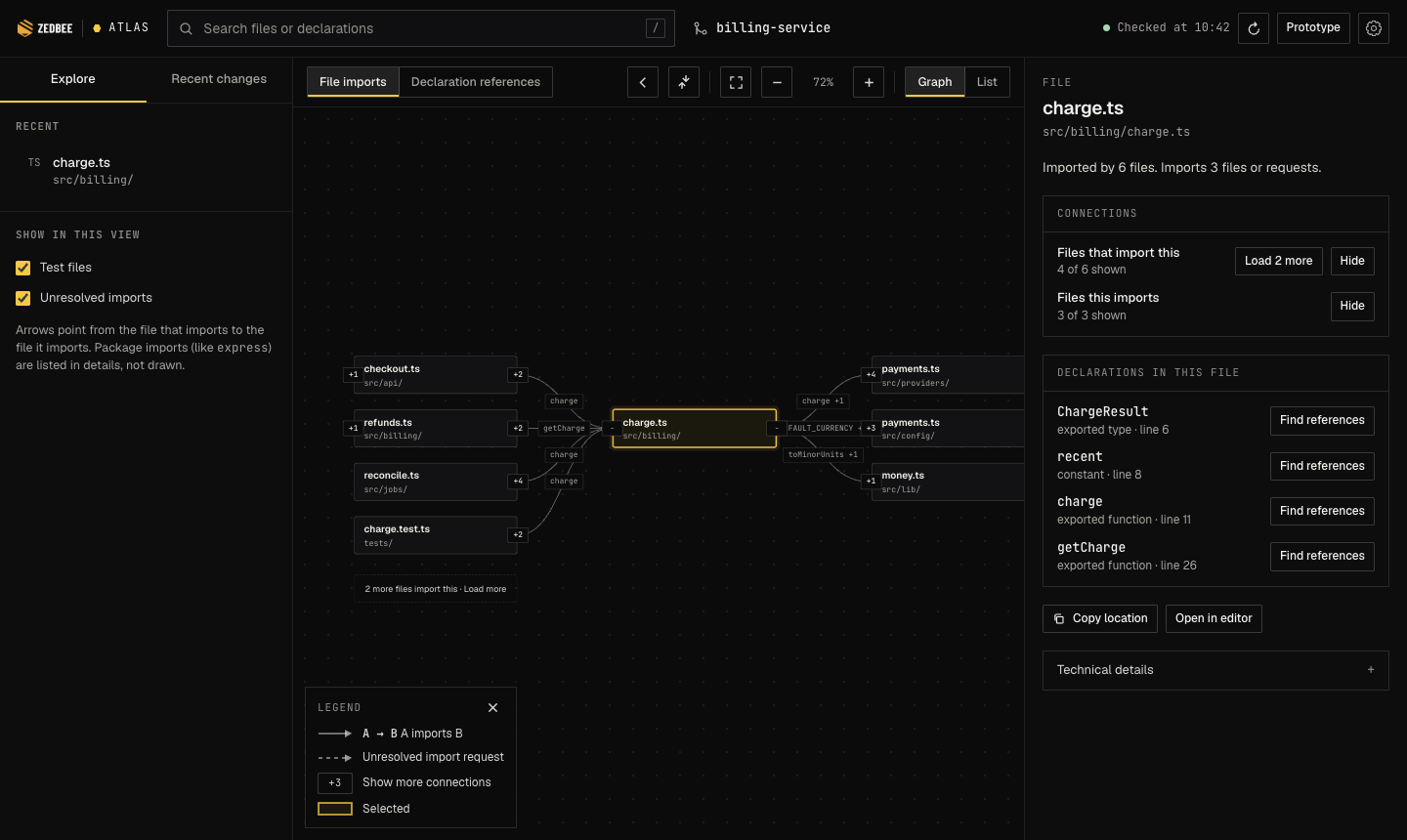
Find a file or function.
Search for the file or declaration you’re working on. Choose the result you want to inspect.
Trace imports and references.
Follow imports, look at references, and expand the area you want to understand.
Find the code behind a result.
Keep the file path and source location with the answer, so you can inspect the code behind it.
Let your agent look up
code with Atlas.
Connect Atlas to Claude Code or Codex. Your agent can look up definitions, find references, and inspect file connections while it works.
The connection uses MCP, a way for agents to use tools. You can explore the same project in your browser or query Atlas from your terminal.
Connect your coding agentAtlas analyzes code on your computer. When you use an agent, its data settings apply to the results it receives. Privacy details
Saved on your computer
Definitions and connections
Browser, terminal, coding agent
Meet Atlas, Lore, and Swarm.
Atlas helps you explore source code. Lore keeps project knowledge, and Swarm checks your changes. Here’s where each fits.
How does Atlas compare?
How does Atlas compare with Graphify?
Graphify helps you explore connections across code, documents, and other project material. Atlas focuses on JavaScript and TypeScript: finding definitions, following references, and checking which files import a module. Both can support coding agents. Choose based on the questions you need answered.
Where do Obsidian and Lore fit?
Obsidian gives you a flexible place to write and connect notes. Lore keeps project decisions and discoveries available to coding agents, with their scope, evidence, and history. Atlas answers questions about the code itself. You can keep your existing notes; built-in syncing between these tools isn’t included.

Find your
way in.
A new project. An unfamiliar function. A change you want to understand.
Get to know Atlas while we prepare the release.
Read Atlas docs